For people who’d rather talk than type

Your brain dump.
Your day.
Done.

Stop staring at a blank page every morning. Say what’s on your mind and Priority One turns it into a clear, time-blocked day, then plays it with you one block at a time.

QR code: scan with your phone to download Priority One
On your computer?Point your phone’s camera here. It opens the right store.
▼ SCROLL TO PLAY A TUESDAY

One Tuesday, start to finish.

Scroll and the day goes by. The bar at the bottom keeps score the way the app does, and your companion has something to say about it. Points only ever go up.

08:06

Say it

Tap the mic and talk for a minute. Meetings, errands, the thing you keep forgetting, in any order. Rather type? Hold the mic instead.
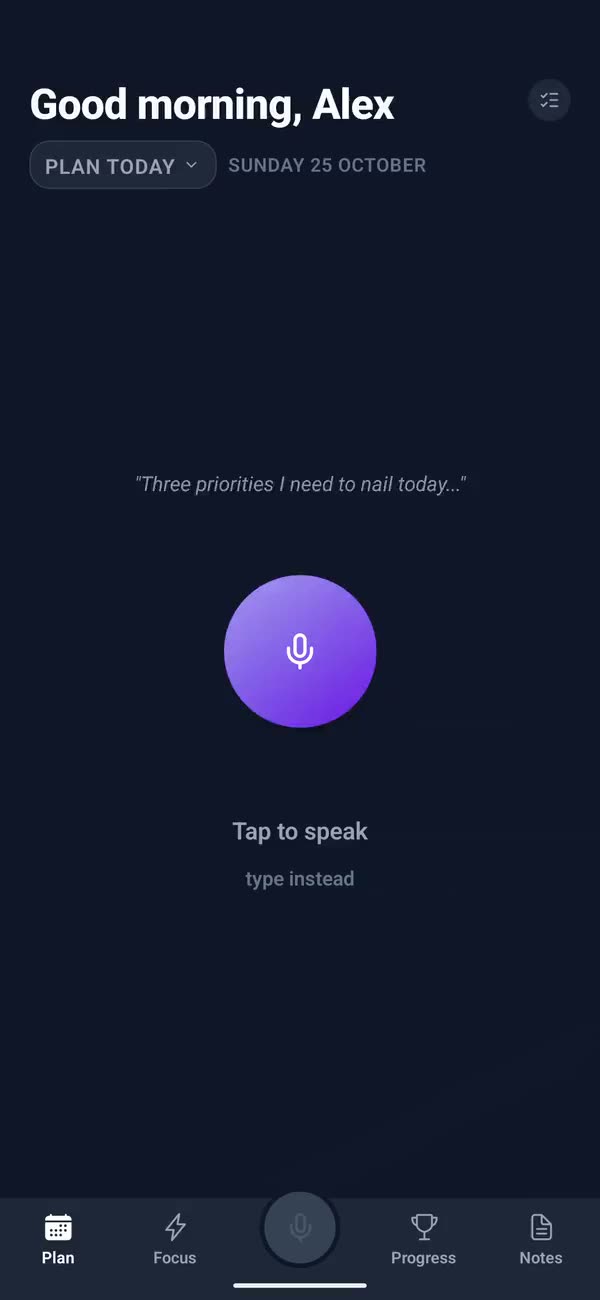
The Plan screen: you tap the mic and talk, and your words come back in a chat with Ollie the owl
08:07

It’s blocked out

Fixed things stay fixed and everything else is placed around them, with room to breathe. The little ones, water and vitamins, wait at the top for a tap.
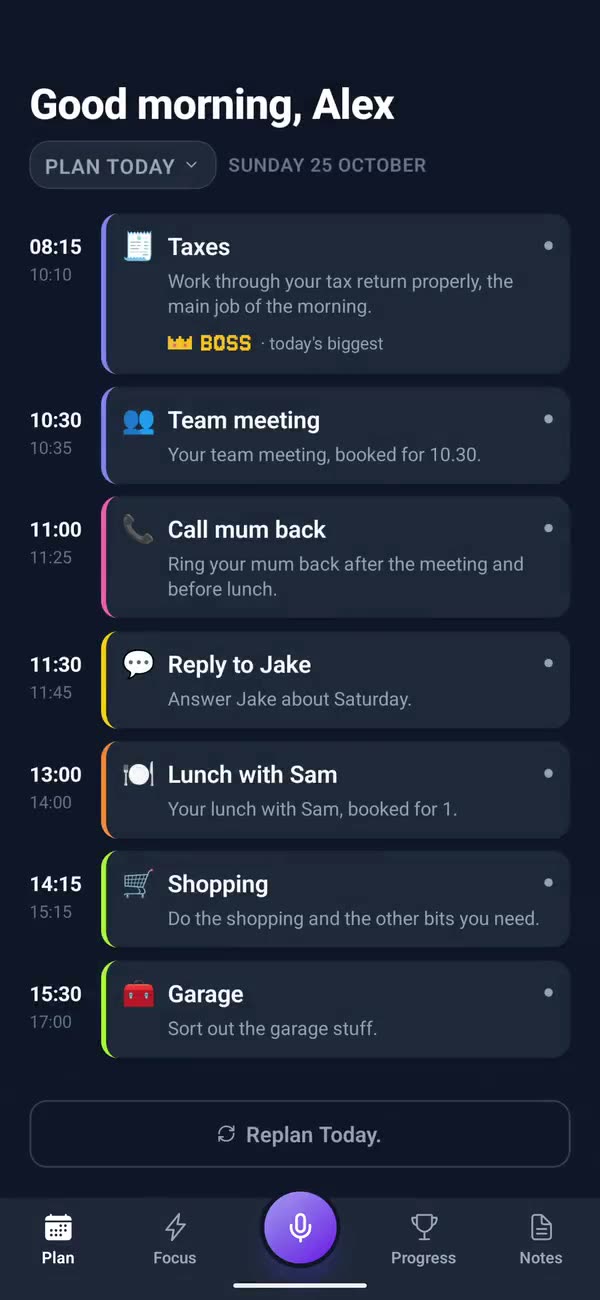
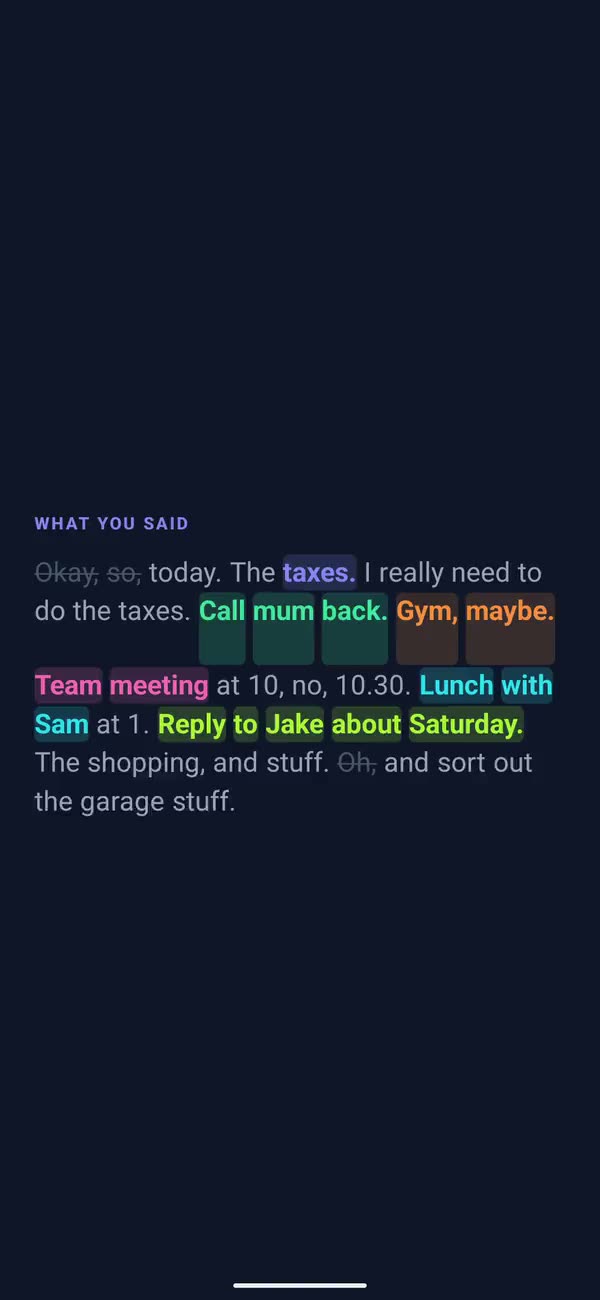
Your words played back with the tasks picked out, Busy mind, then the plan: the taxes first, the team meeting and lunch with Sam at their times
10:20

One thing on screen

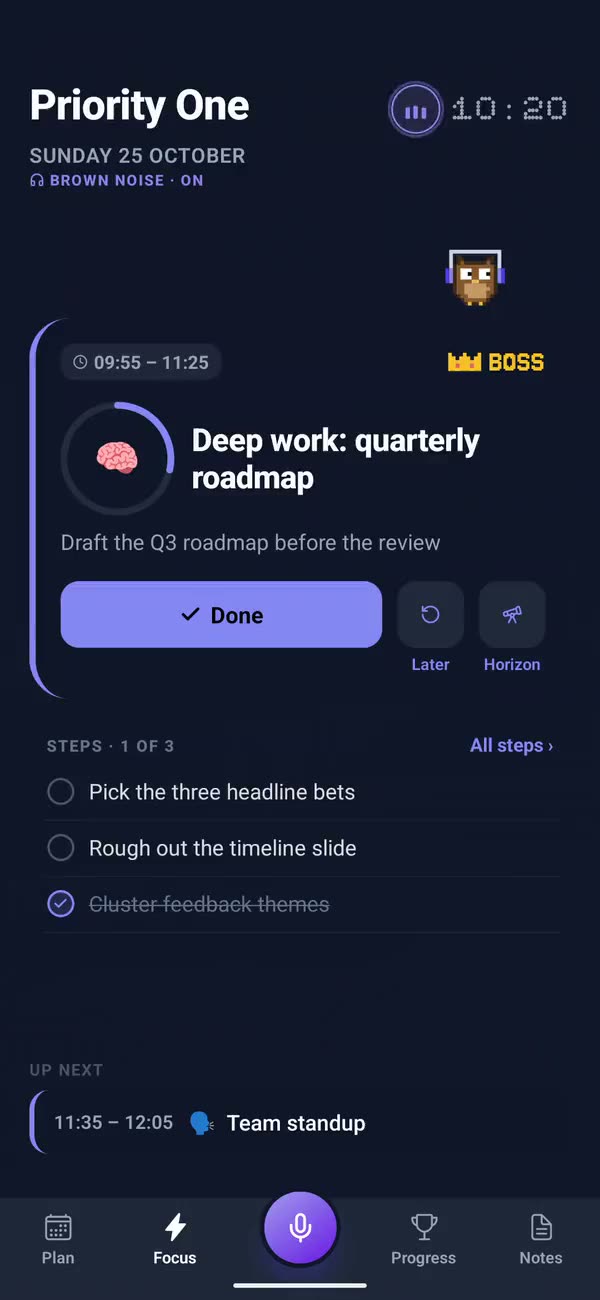
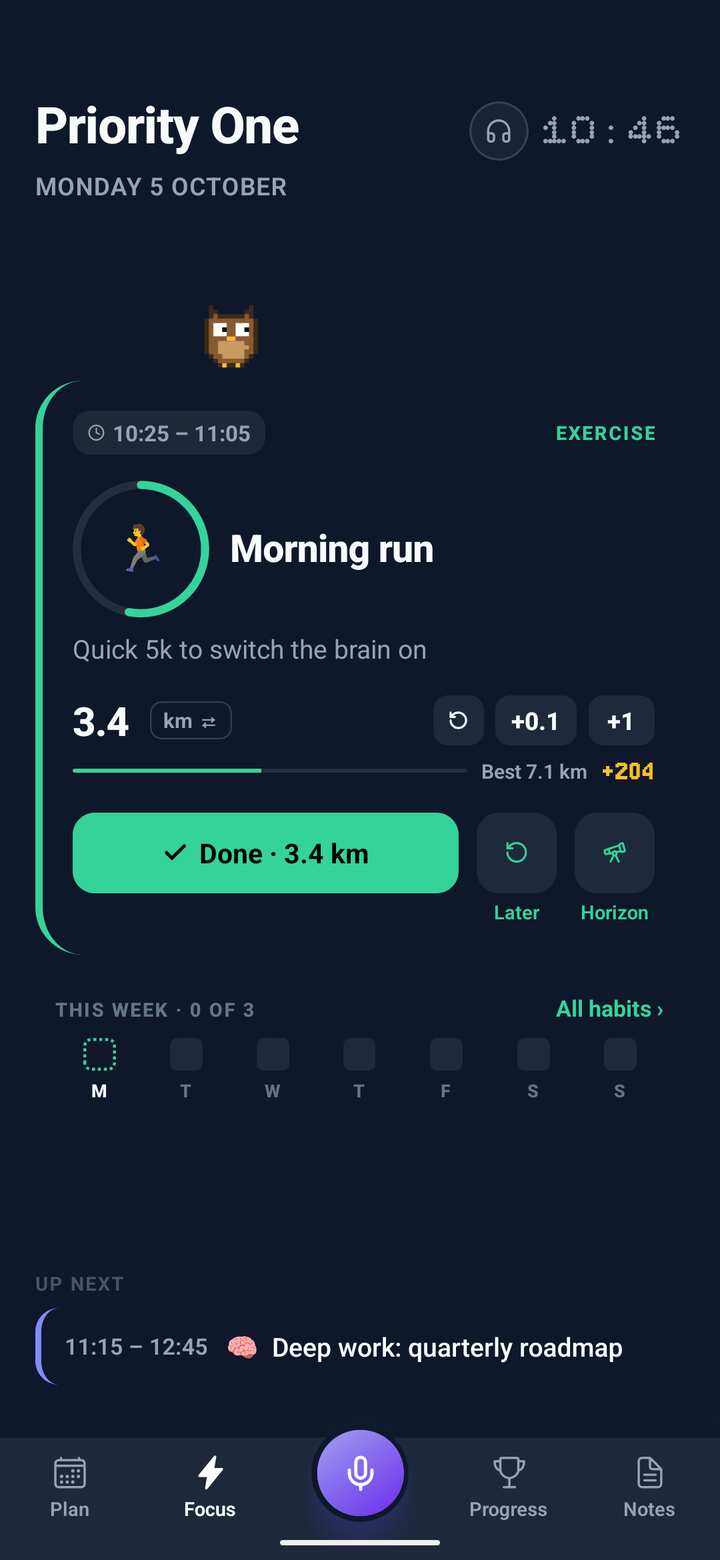
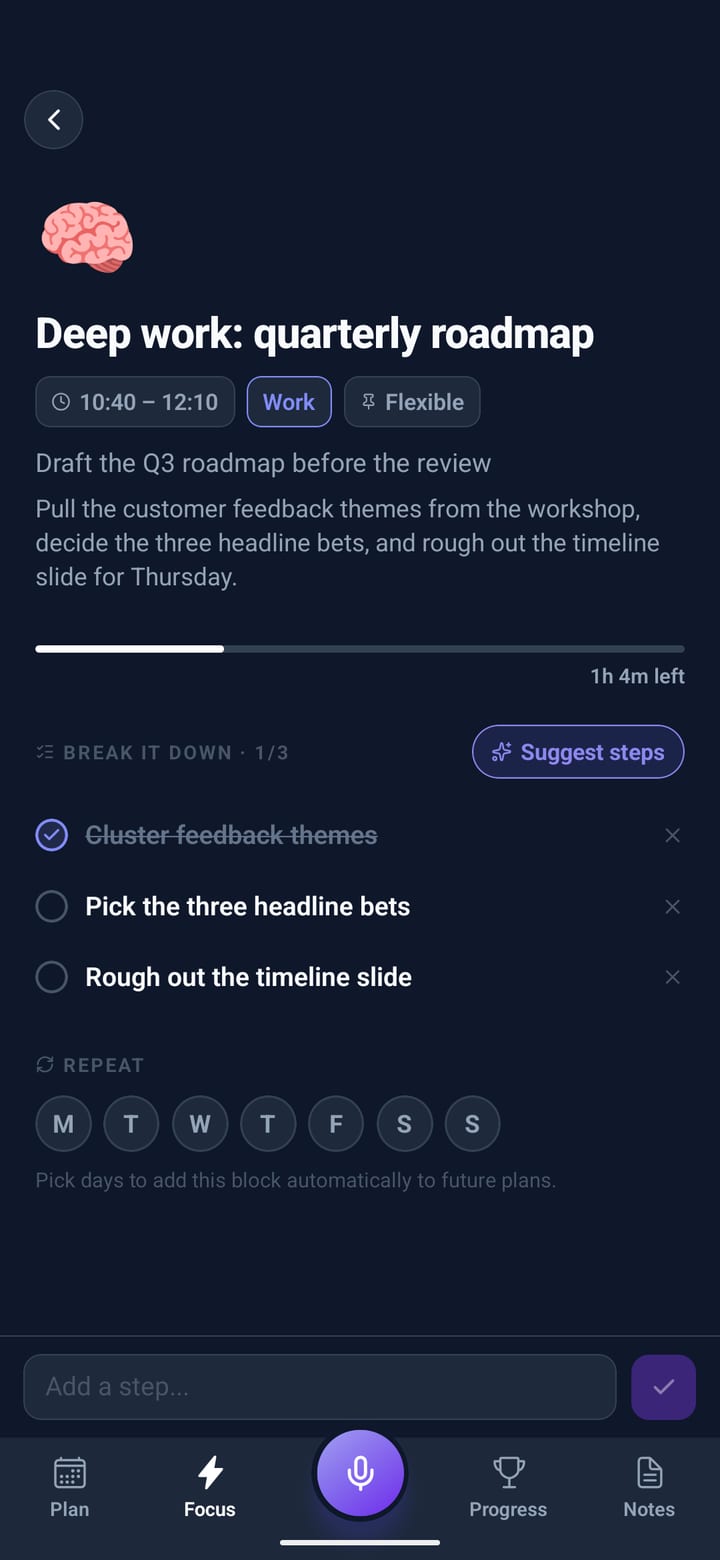
Focus shows the block you’re in and nothing else. Done, Later or Horizon. The biggest block of the day wears a crown: it’s the boss.
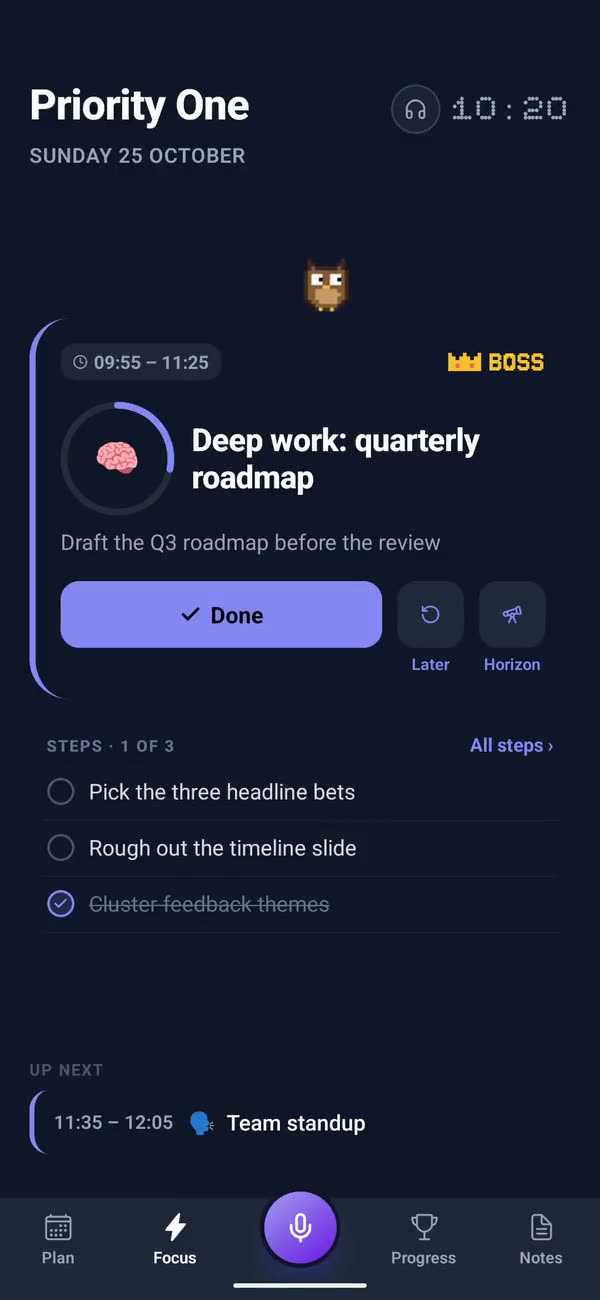
Focus: the deep work block with a BOSS badge, the owl wandering above it and the steps below
10:20

A sound, if it helps

Recorded rain, waves, forest and fire, a fan, or brown, pink and white noise. Some people focus better with steady sound, some without.
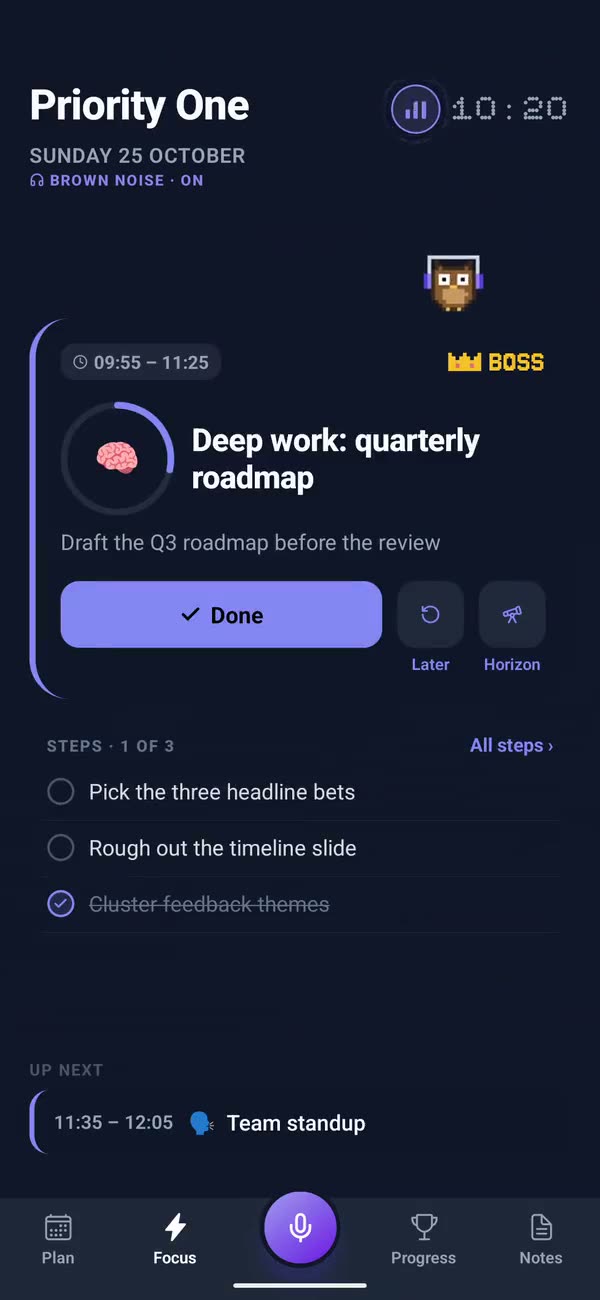
The headphones on Focus: brown noise picked from rain, waves, forest, three noises, a fan and a fire, and the owl puts its headphones on
10:21

Put a timer on it

Tap the clock: match the block, a Pomodoro or a countdown. The card drains as the minutes go, and your companion keeps you company above it.
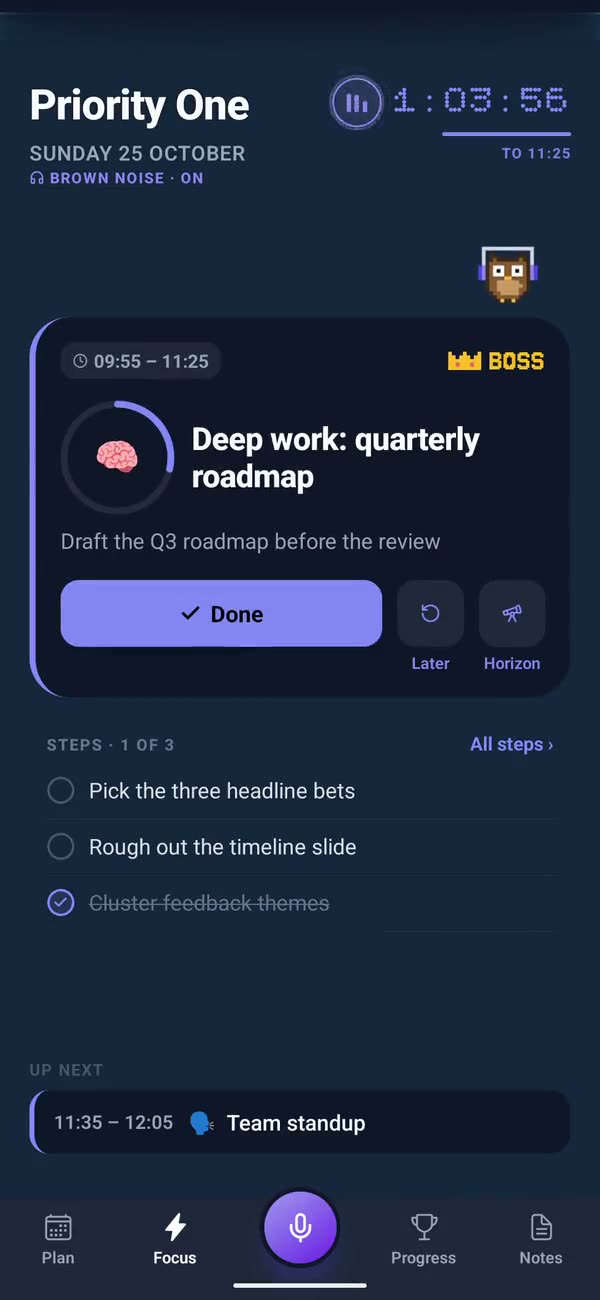
The clock tapped, Match the block picked, and the timer counting down from 64 minutes as the card fills blue
10:22

Done, and it counts

Tick a block and it scores: more for finishing in its slot, a combo for keeping to the order. Points only ever go up. Not your thing? Switch the game to Calm.
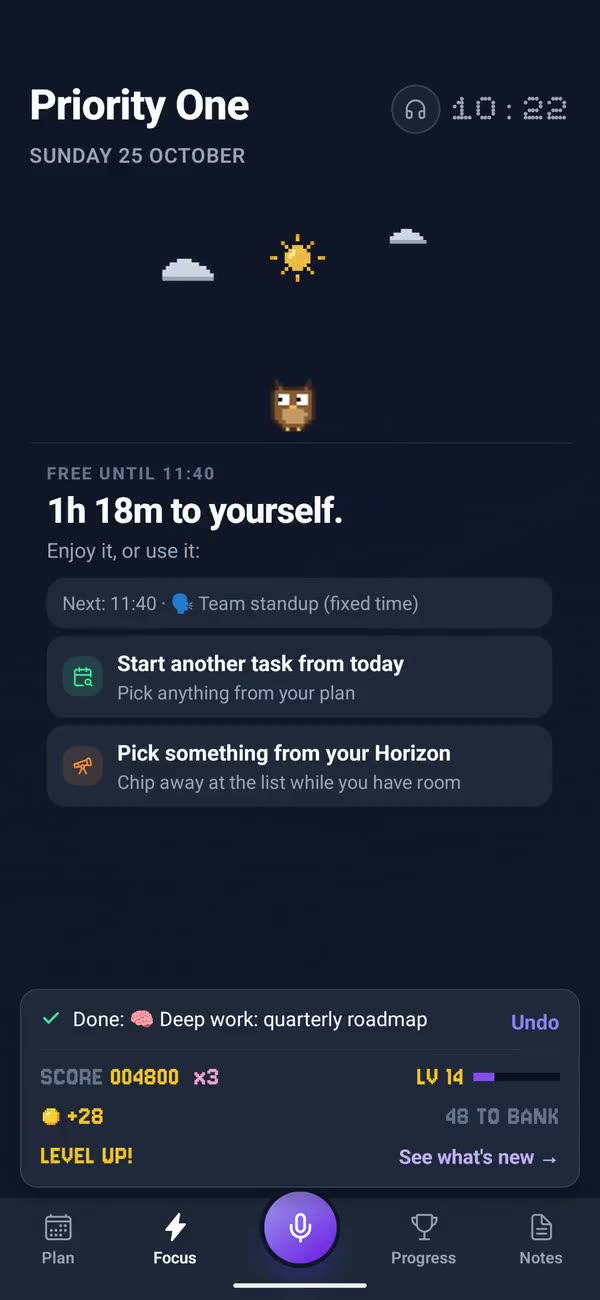
The deep work block swiped done: K.O., the boss beaten, the score up to 4,800 with a combo of three, and a level up
12:31

The whole day at a glance

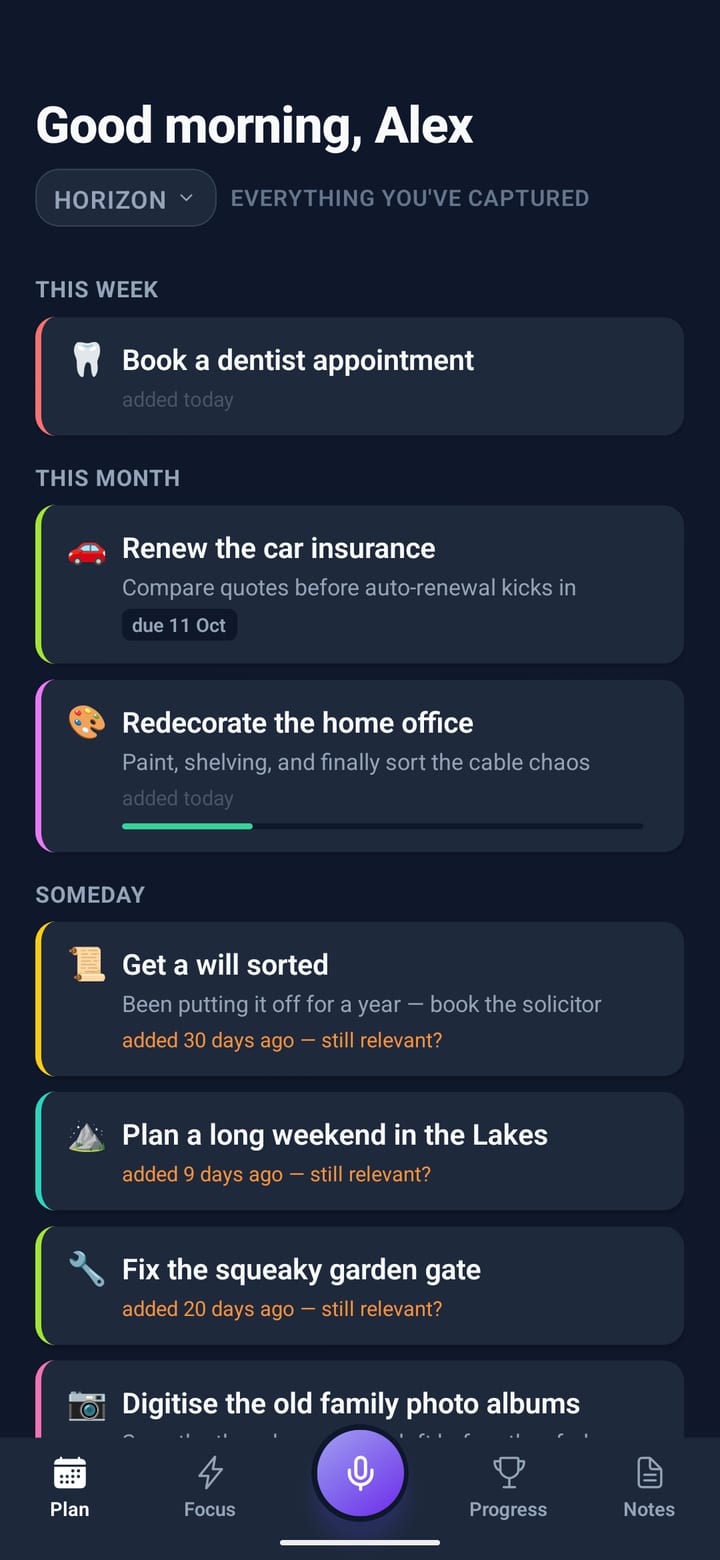
Progress shows your streak, the day as a strip of blocks, the next step toward your priority one and how your habits are doing this week.
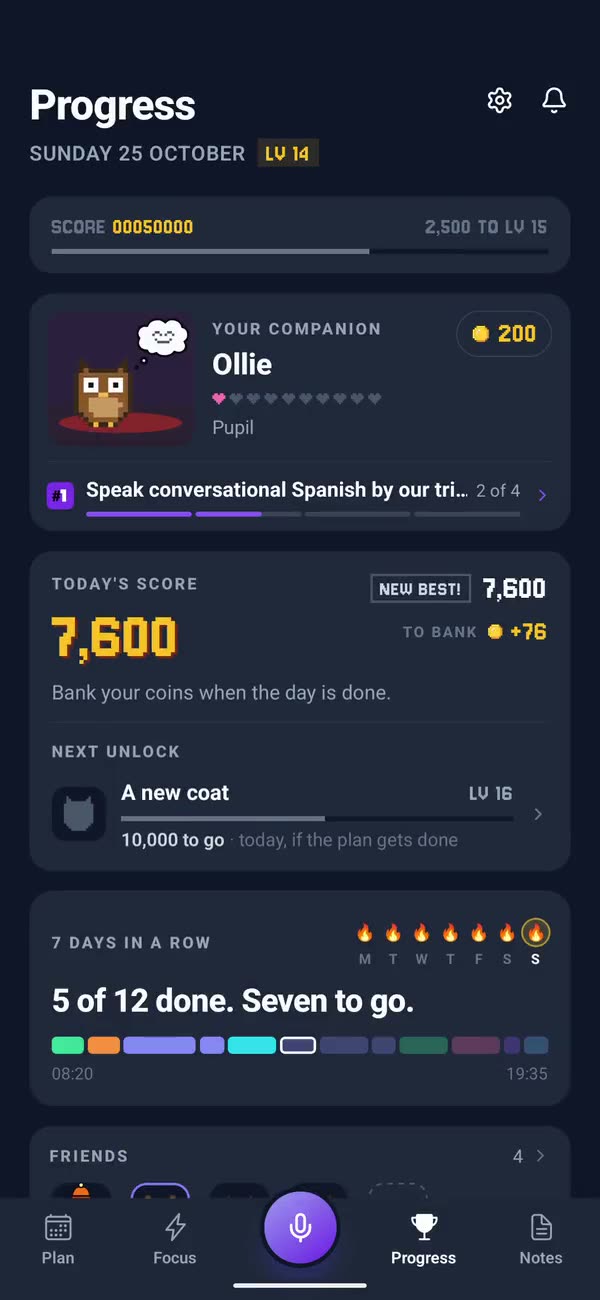
Progress after lunch: today’s score a new best at 7,600, seven days in a row, five of twelve done
13:20

Every little thing

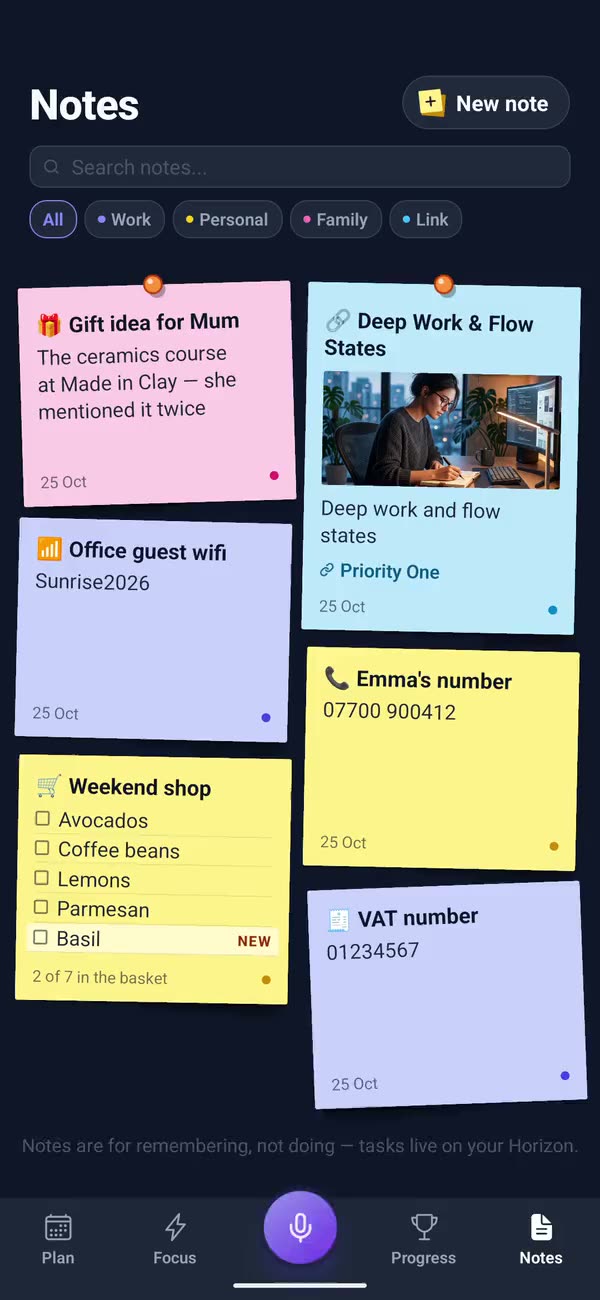
On the way back from lunch, say a number, a code or a list. It lands on the board as a post-it, and a phone number turns into Call and Add to contacts.
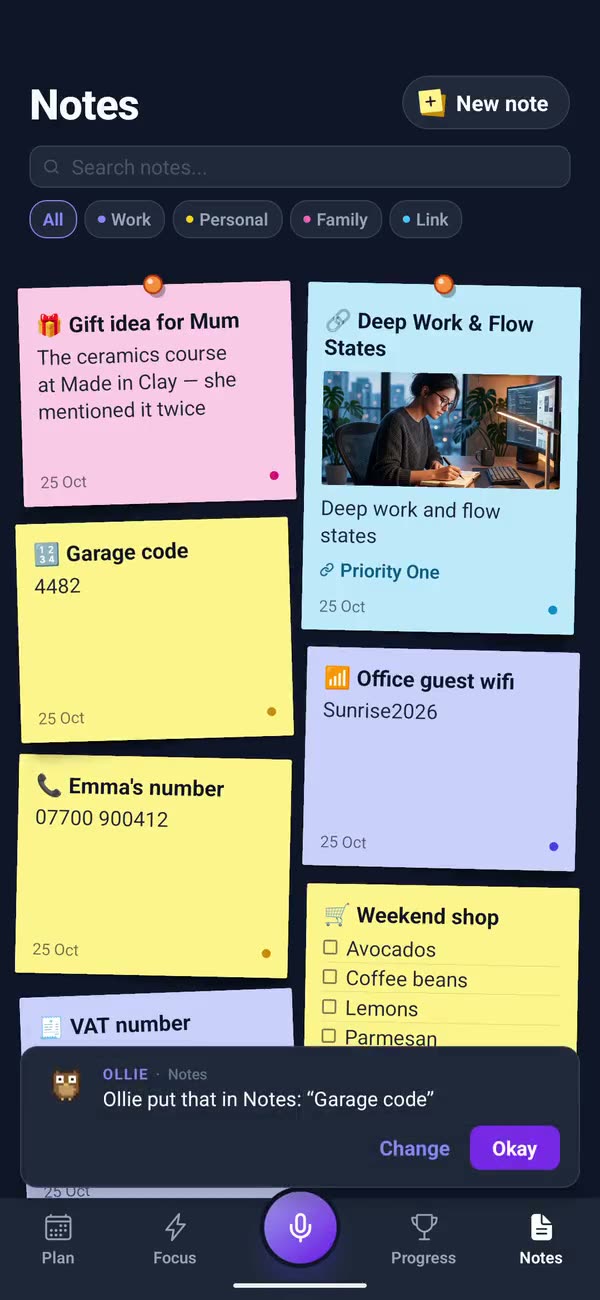
Notes: you say the garage code and it lands on the board as a post-it, beside a gift idea, Emma’s number and the weekend shop
21:10

Stage clear

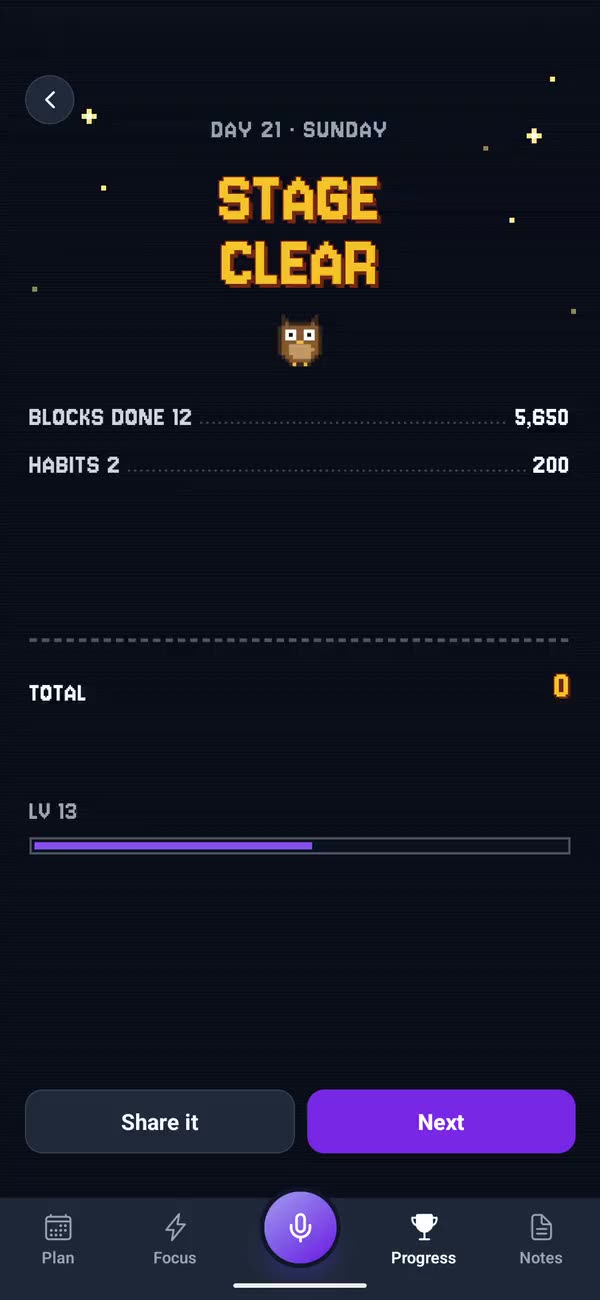
Every block done. The tally counts up: blocks, habits, the combo, the boss, your step toward the goal. A new high score if you beat your best day.
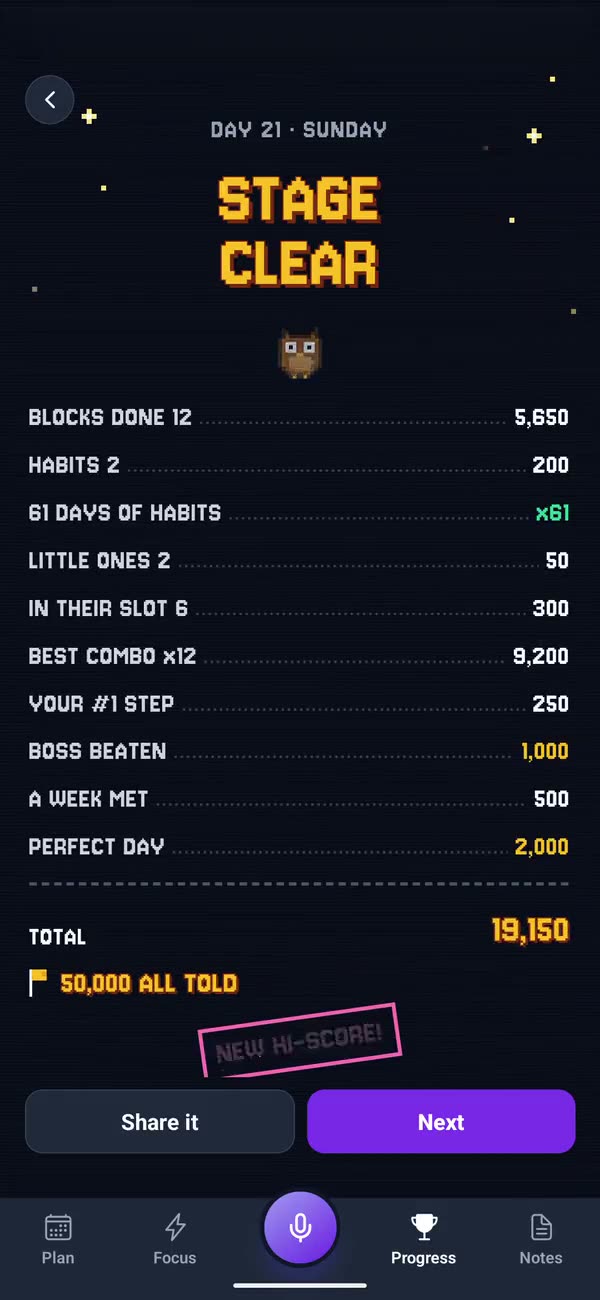
Stage clear: the day’s tally counting up in pixel type to 19,150, and NEW HI-SCORE
21:12

Then, a party

When the whole plan is done, your companions walk in under pixel fireworks in party hats and gossip about your last three days.
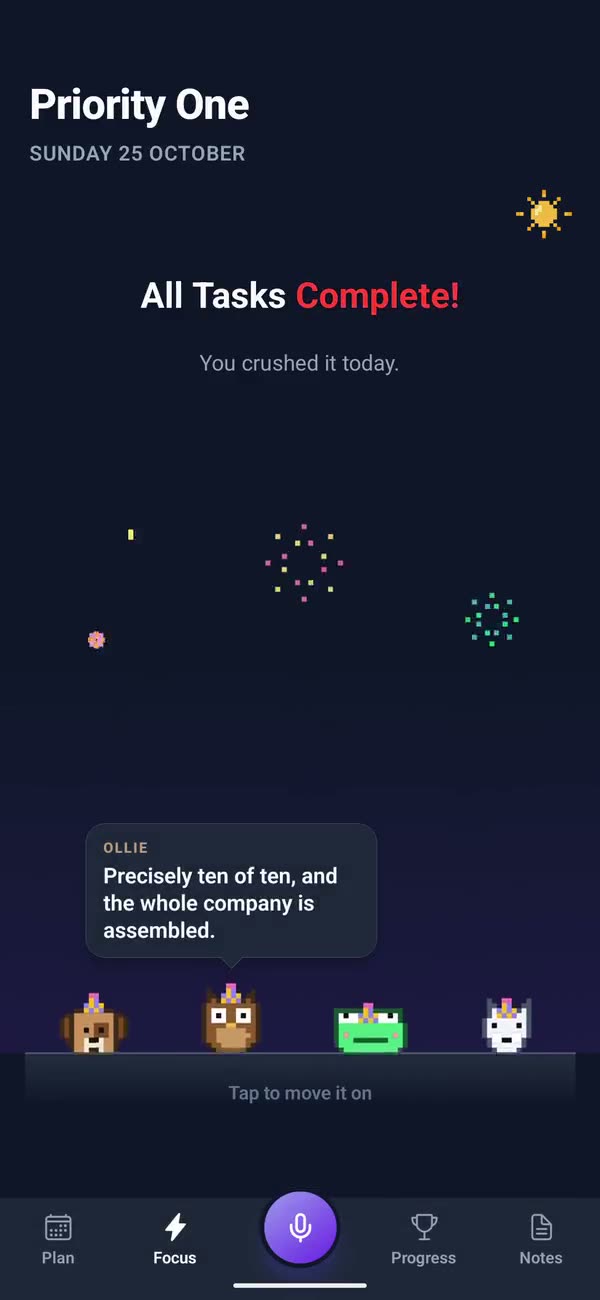
All tasks complete: the companions walk in under pixel fireworks, and the owl notes the whole company is assembled
21:20

A journal that writes back

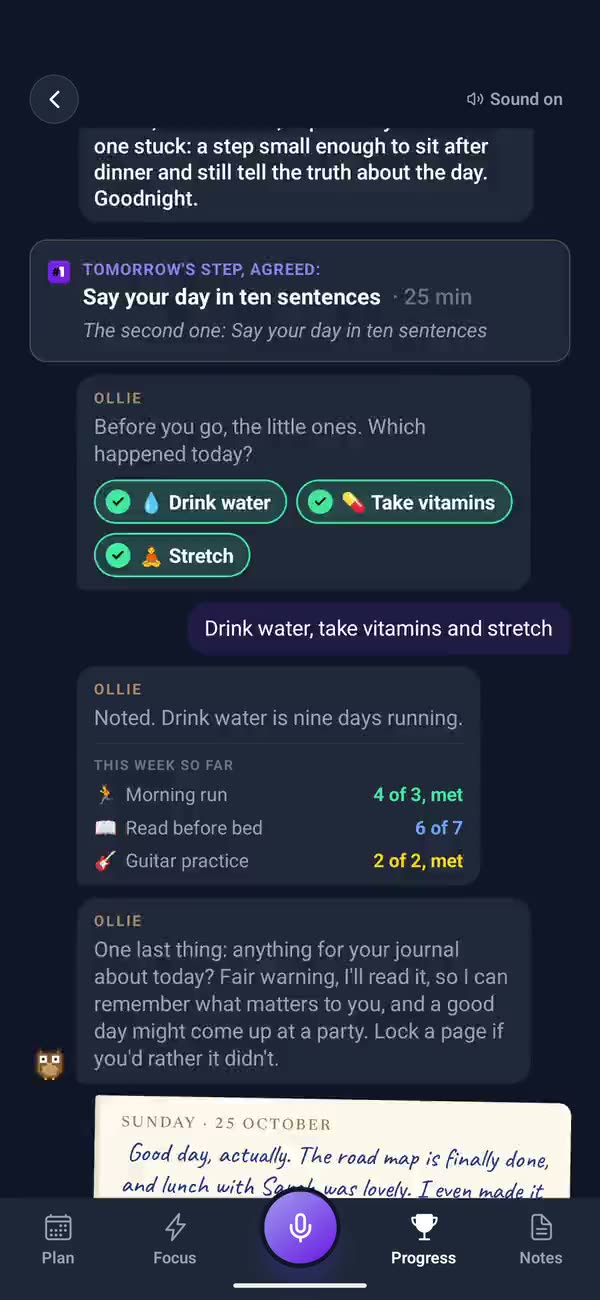
Your companion asks how the day went. Say it in your own words and the day gets a page in your journal, with a note back.
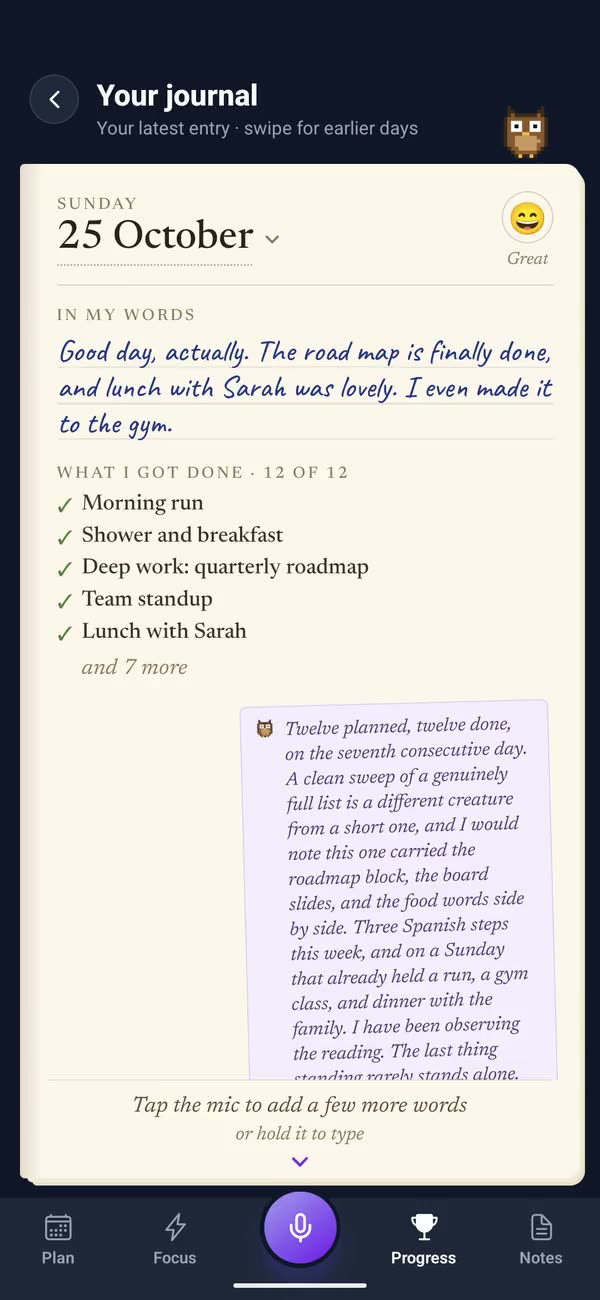
The evening: you say how the day went, it is kept word for word as a card, then the journal page with a note from Ollie
21:30

Tomorrow, in a chat

Talk tomorrow through with your companion. It asks the one question that matters, builds the day, and it’s waiting for you in the morning.
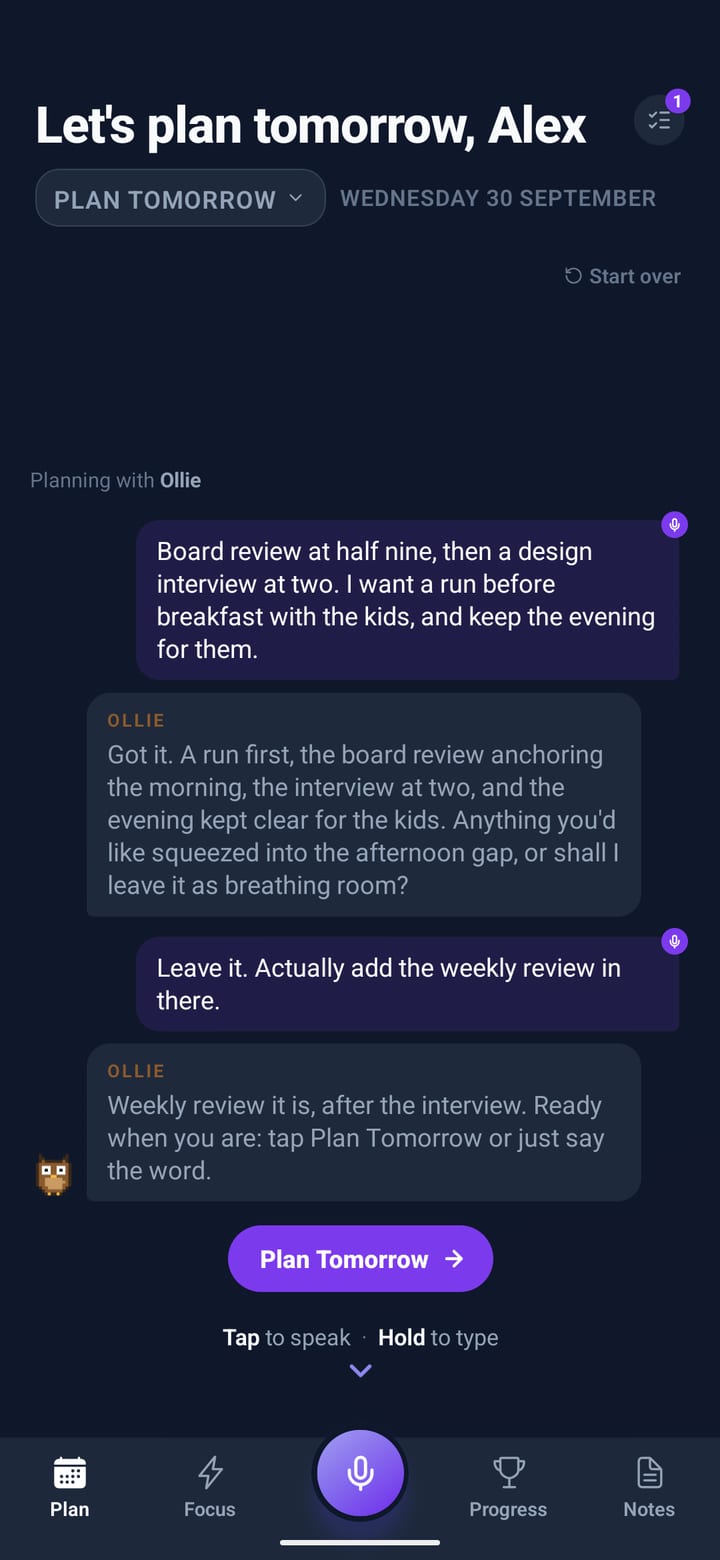
Planning tomorrow as a conversation with Ollie the owl, with a Plan Tomorrow button

GAME MODE · TRY IT

PLAY A MORNING

Tick them off. Keep to the order for a combo. The biggest block is the boss: tick its steps to land hits, then Done for the K.O. Nothing you do costs you a point, and the rules are the app’s own.

SCORECOMBO ×1
00000000
0 of 4 done
A BLOCK DONE10 A MINUTE
IN ITS SLOT+50
KEEP THE ORDER×2 ×3
THE BOSS+1000
LATER OR SKIPNEVER MINUS
LV 134,850 / 6,500 XP
Ready when you are.
Not a game person? Switch to Calm: a tick and a quiet word, nothing to count.

GAME MODE · PLAYFUL

A KIND ARCADE

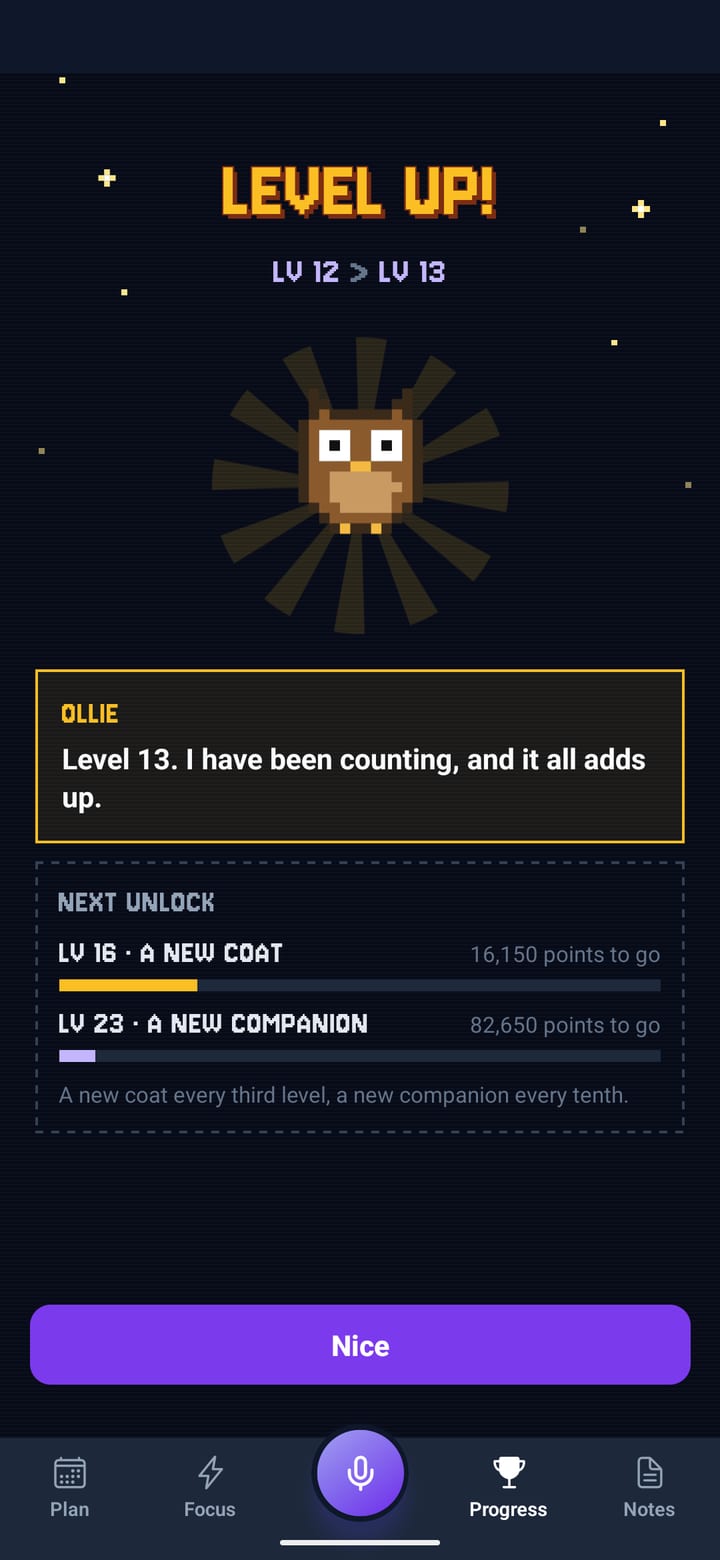
Points for every block you finish, combos for keeping to the order, a boss for the biggest job of the day, and levels that bring out new coats and companions. Nothing you do ever costs you a point.
HOW TO SCORE
A BLOCK DONE10 A MINUTE
IN ITS SLOT+50
KEEP THE ORDERCOMBO ×2 ×3
A HABIT+100
YOUR #1 STEP+250
THE BOSS+1000
PERFECT DAY+2000
LATER OR SKIPNEVER MINUS
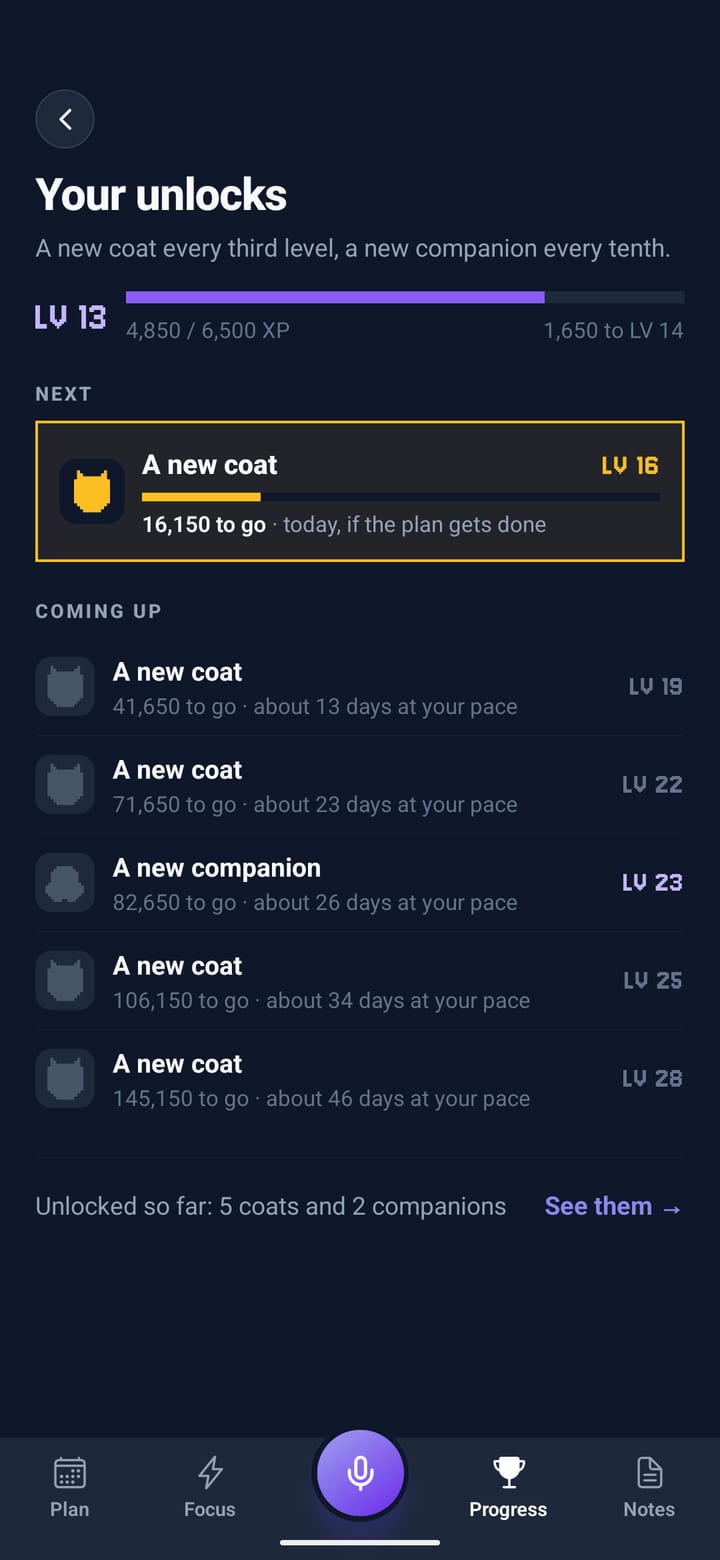
EVERY 3RD LEVEL A NEW COAT
EVERY 10TH LEVEL A NEW COMPANION
Level up: level 12 to 13 in pixel type, the owl in a sunburst, and the next unlocks
Your unlocks: level 13, the next coat at level 16, and what’s coming up with days at your pace
Or keep it Calm.

A tick and a quiet word, with nothing to count. Switch any time in Settings, or try it on this page:

Habits that fit the week.

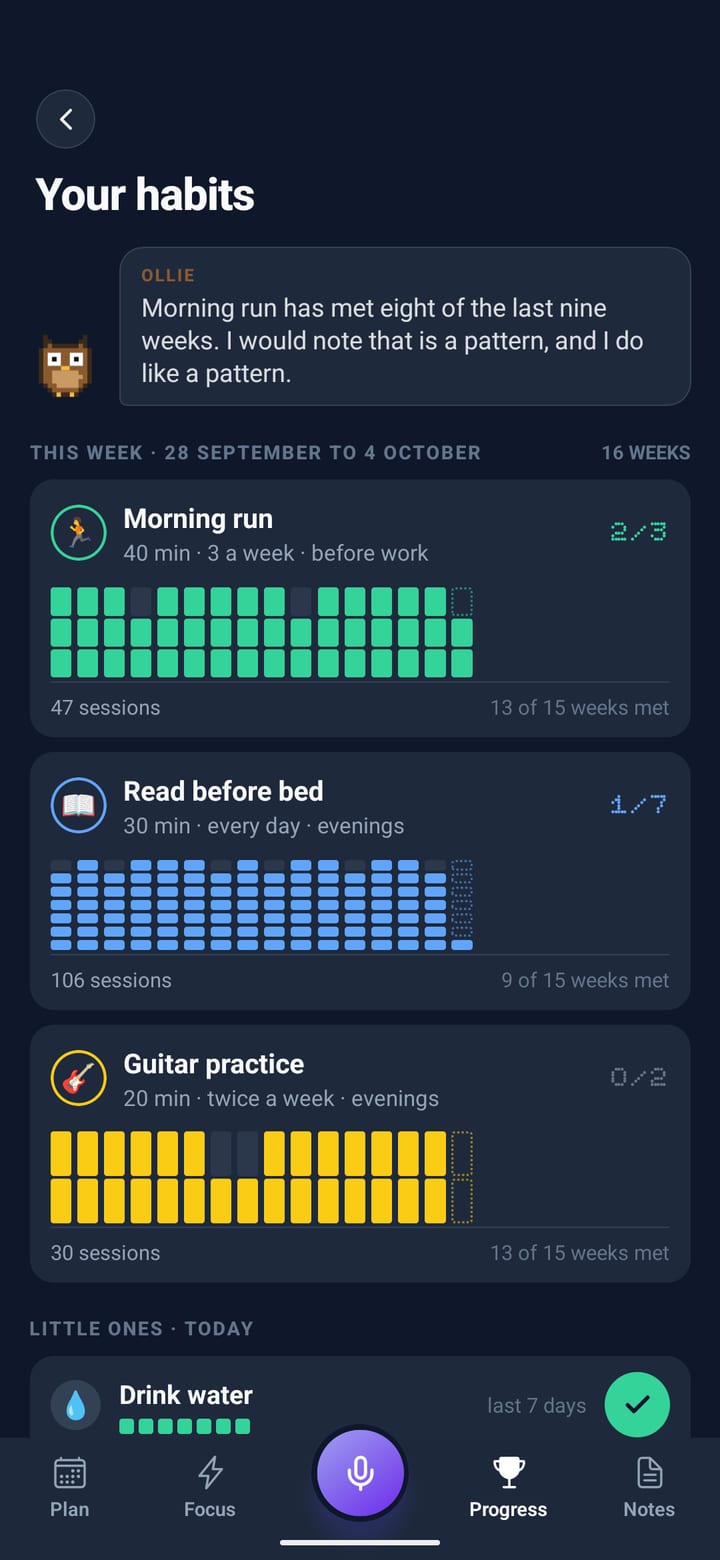
Say “run three times a week” or “read every evening”. Planned habits get a real block in their slot, the little ones wait at the top of today’s plan, and a week counts however the days fall. Scroll, and sixteen weeks fill in.
Say it how you’d say it
Several habits in one breath, in your own words, with any emoji you like.
A week, not a knife-edge
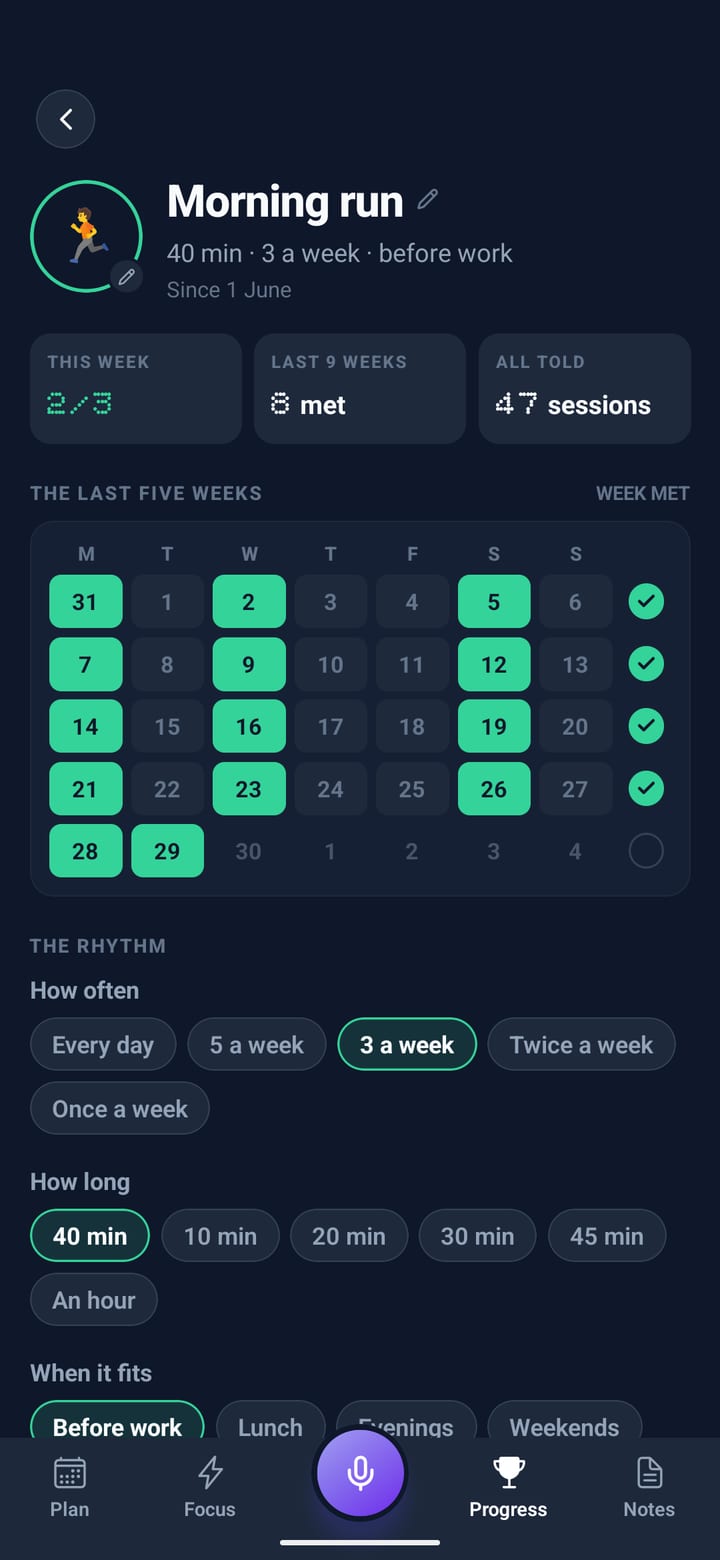
Three runs by Sunday counts, whichever days they land on.
Little ones, one tap
Water, vitamins, a stretch: a row of circles at the top of the plan.
Morning run40 min · 3 a week · before work
3/3
Read before bed30 min · every day · evenings
2/7
Guitar practice20 min · twice a week · evenings
0/2
A habit opened: Morning run, 40 minutes three times a week before work, the last five weeks as a calendar
Your habits: sixteen weeks of coloured bars for each habit, and the little ones below

One big goal. One small step a day.

Name the thing you keep meaning to get to. Your companion draws the road in chapters and fits one small step into your day, only in the hours you give it. Tick the step and it walks the road and ticks it off there too.
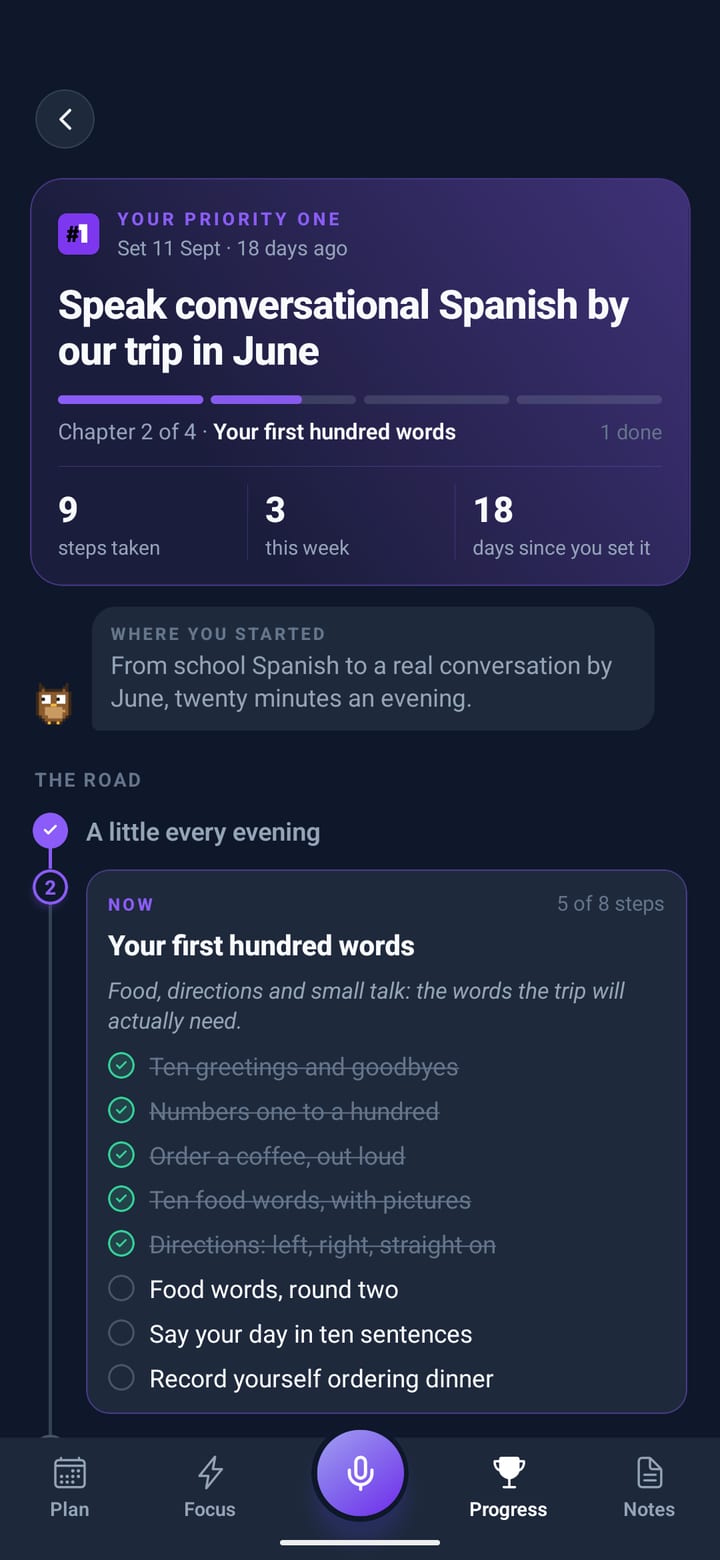

  • Chapters, not a wall of tasksYou see the chapter you’re in. The rest waits its turn.
  • Only when it fitsEvenings, before work, weekends: the step lands in those hours.
  • Life moved on?Say what’s changed and the road is redrawn from where you are.
Your priority one: “Speak conversational Spanish by our trip in June”, chapter 2 of 4, the road and this chapter’s steps
A kitchen table in warm evening light: a Spanish phrasebook open beside a passport, earbuds and a phone
Your priority one: “Speak conversational Spanish by our trip in June”, chapter 2 of 4, nine steps taken, the road with this chapter’s steps

Notes on paper. Lists you can tick.

Say a note and it lands on the board as a post-it, in its colour. Say “add basil to the weekend shop” from any screen and it’s on the list. A phone number turns into Call, WhatsApp and Message.

Go on, tick something off the list.

Gift idea for Mum
The ceramics course at Made in Clay. She mentioned it twice.
Weekend shop
2 of 7 in the basket
Emma’s number
07700 900412
CallWhatsAppMessage
VAT number
01234567
Book the dentist
Before the end of October.

Pick one. Name it. It comes with you.

A small pixel companion plans with you, keeps you company on Focus and says something when you finish. Each one has its own voice, and levelling up brings the others out of the shadows. Pick one here and it rides the score bar for the rest of this page.
Hoo. I’m Ollie. I’ll keep an eye on the clock.

The quiet features that do the heavy lifting.

The Horizon
The HorizonEverything that isn’t today: deadlines, priorities and projects with progress. The AI draws on it every time it plans.
Break it down
Break it downAny block holds notes and a checklist of steps, and suggests the steps when you’re stuck.
Look back
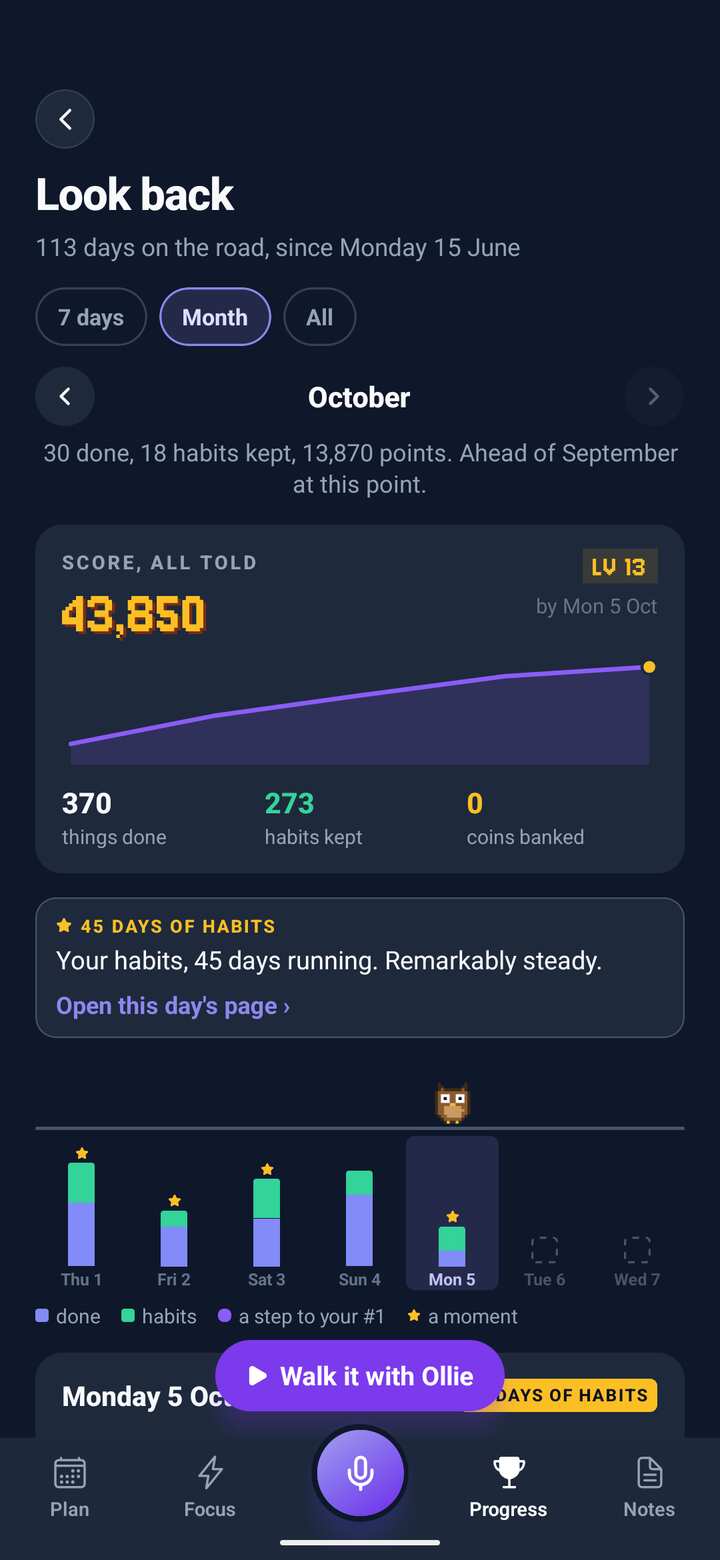
Look backEvery week and month at a glance, and how it compares with the last. Walk through it with your companion.
About you
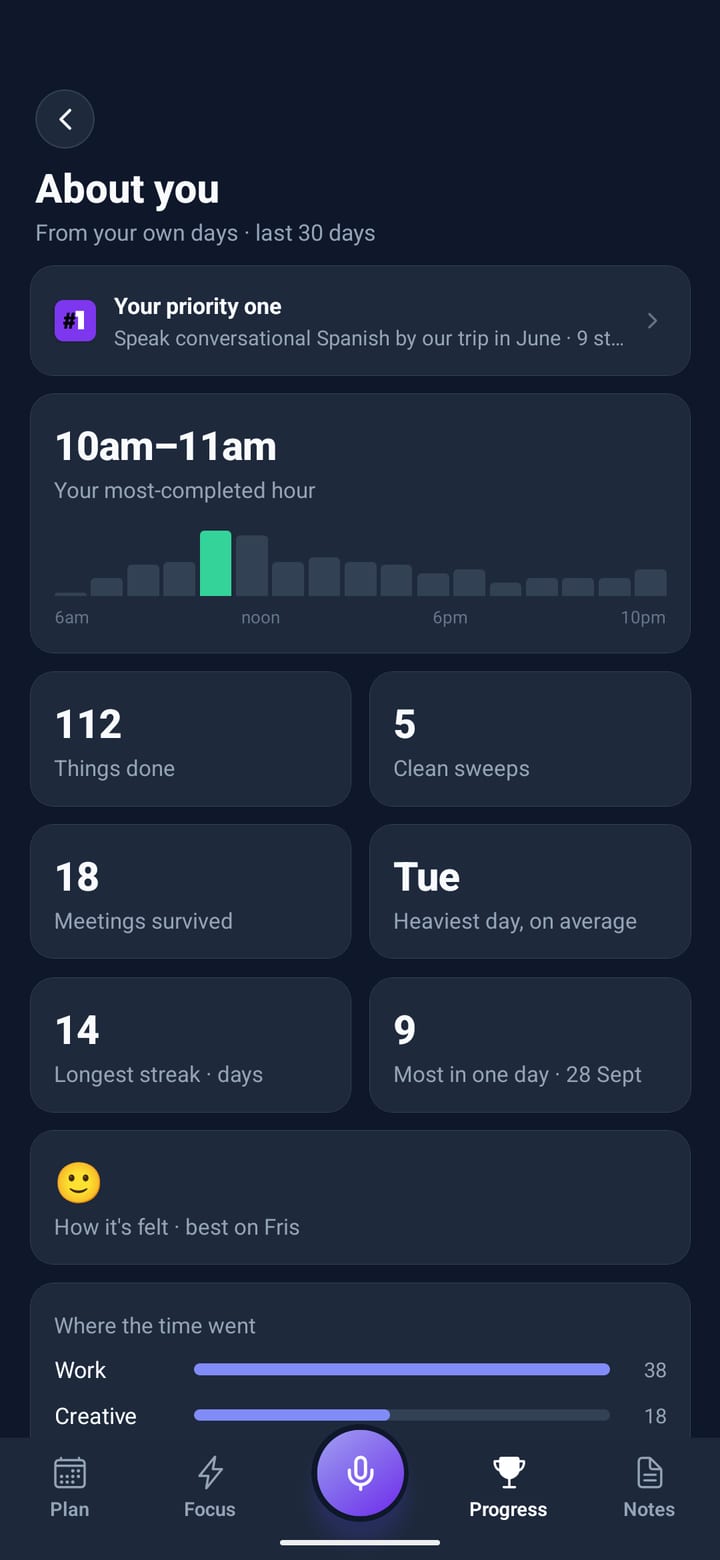
About youThe hour you get most done and where the time goes, worked out from your own days.
Streaks with grace
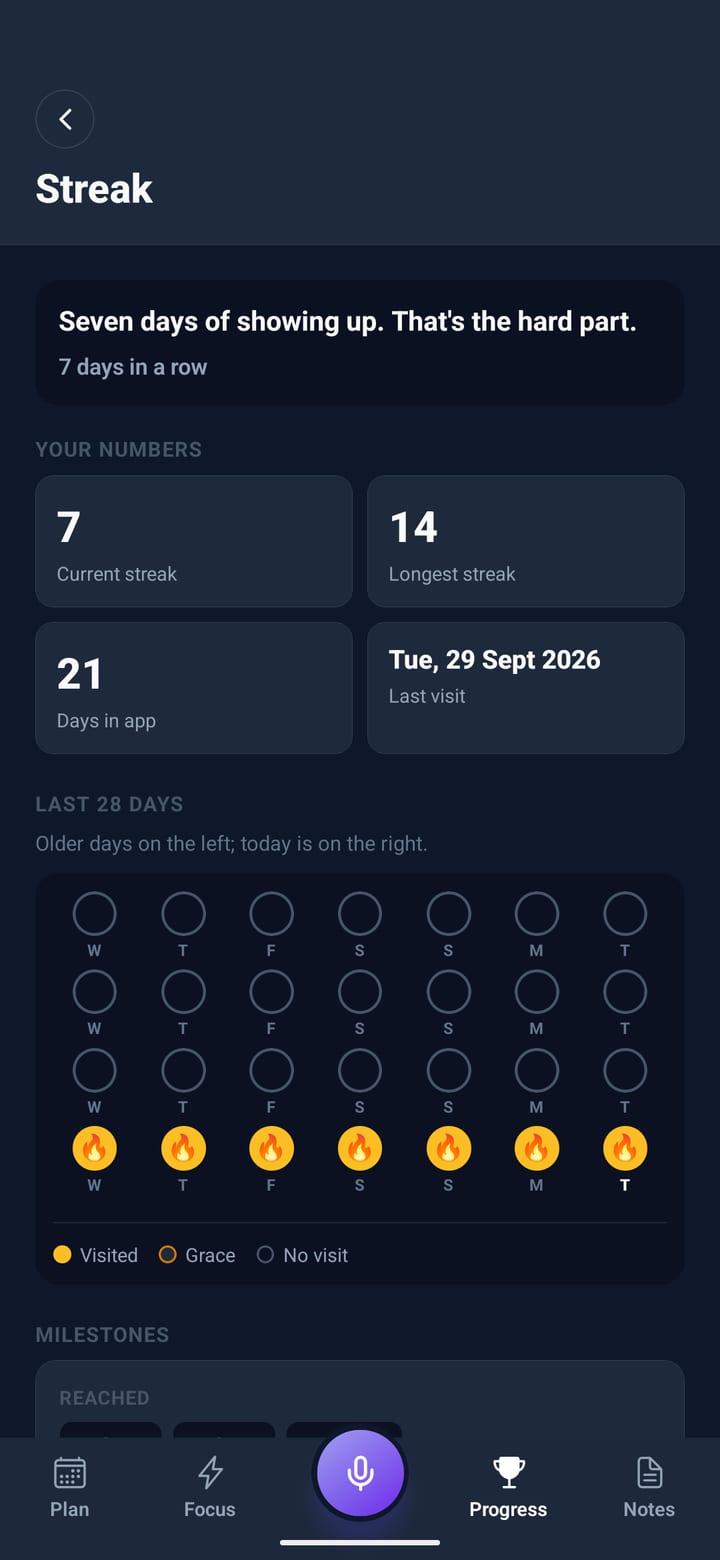
Streaks with graceDays in a row with grace days built in, so one off day doesn’t undo a week.
Runs count too
Runs count tooPut a run or a walk on Focus and it keeps the distance, with your best beside it.
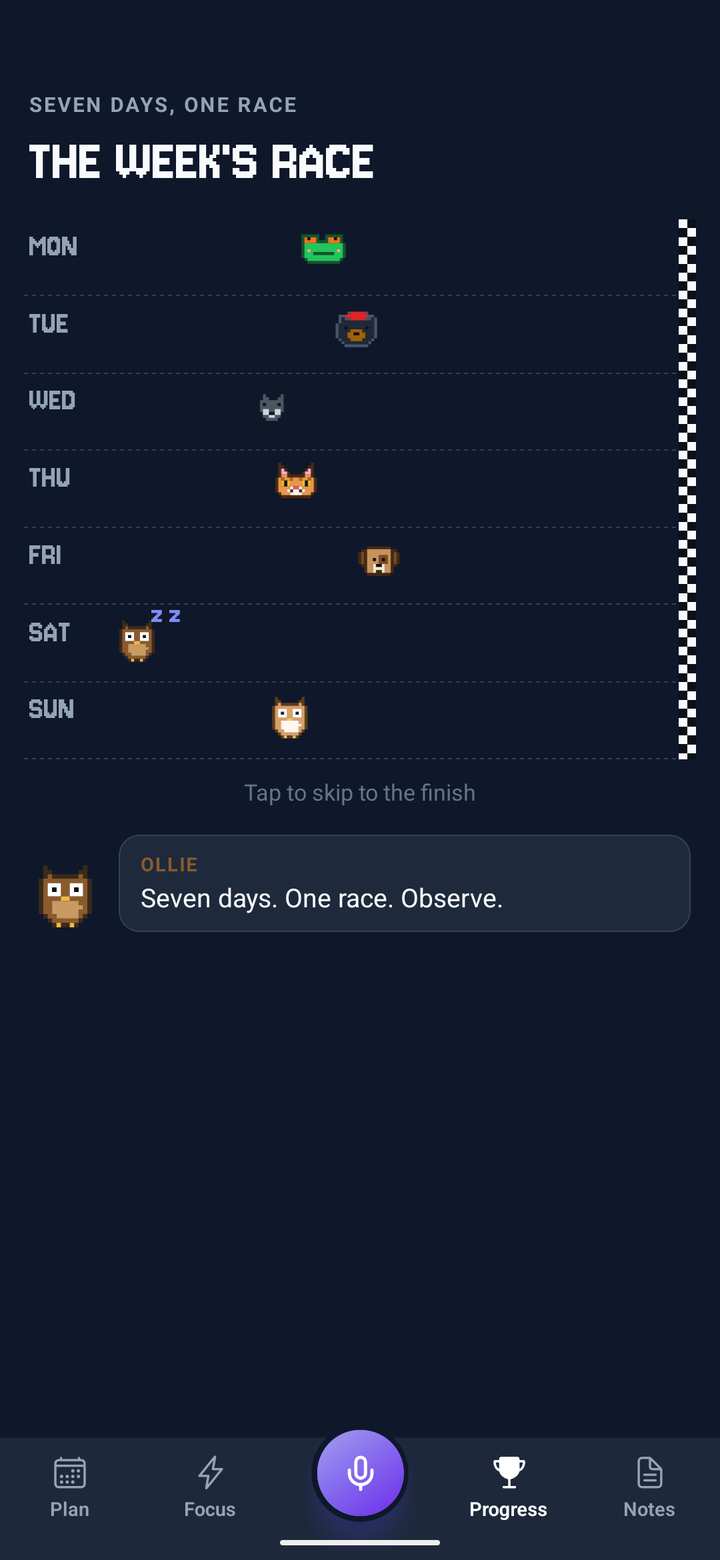
The week’s race
The week’s raceSeven runners, one for each day of your week. The day with the most points wins, and pays out again.
Change your day by voiceSay what happened and the rest of the day is rewritten around it. Fixed things stay put.
Undo, every timeEvery change the AI makes arrives on a card with Okay and Undo.
Works around your calendarEvents on your phone’s calendar are planned around at their exact times.
Reminders for each blockEvery block gets its own nudge, at the moment it starts.
Plans in the backgroundStart the plan and lock your phone. A notification says when your day is ready.
A short talk in the eveningHow the day went, in your own words, and whether the pace or the hours need changing.
Change your day by voice
Say what happened and the rest of the day is rewritten around it. Fixed things stay put, and reminders move too.
Hold to type
Can’t talk right now? Press and hold the mic and type instead. Same plan, same changes.
The Horizon
Everything that isn’t today: deadlines, priorities and projects with progress. The AI draws on it every time it plans.
Undo, every time
Every change the AI makes arrives on a card with Okay and Undo, so nothing slips in unseen.
Break it down
Any block can hold notes and a checklist of steps, and suggest the steps when you’re stuck.
Works around your calendar
Events on your phone’s calendar are planned around at their exact times.
Reminders written for each block
Every block gets its own nudge, at the moment it starts.
Look back
Every week and month at a glance, and how it compares with the last.
Runs count too
Put a run or a walk on Focus and it keeps the distance, with your best beside it.
About you
The hour you get most done, your heaviest day, where the time goes, worked out from your own days.
Streaks and medals
Days in a row with grace days built in, and a trophy room that fills up as you go.
The week’s race
Seven runners, one for each day of your week. The day with the most points wins.

Built for busy minds.

Priority One is for people with too much going on who want a better way through it.
  • Busy professionals who start every day not knowing where to begin
  • Parents with packed schedules juggling work, family, and everything in between
  • People with ADHD who need structure without the friction of building it by hand
  • Knowledge workers who need to protect deep focus time in a noisy day
  • Anyone who has tried to-do apps and found them too rigid or too manual
<2 min
to a full day plan
Free
trial, full access
Offline
once your day is planned
Never sold
your data, and no ads in the app
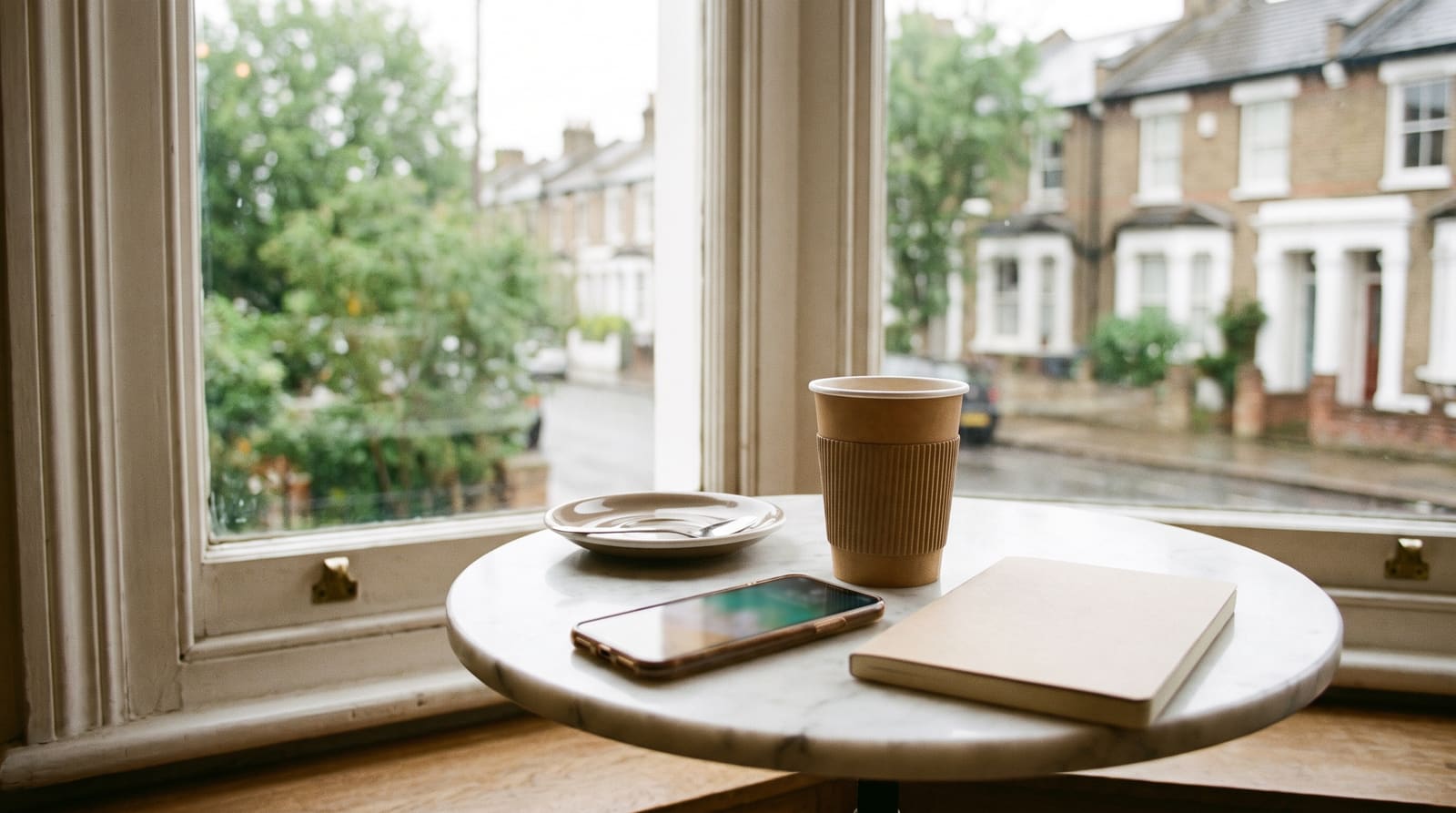
A café table by a bright window onto a leafy street: a takeaway coffee, a phone and a notebook

ADHD & productivity insights

View all articles →
ADHD and Sleep: Why Your Brain Won't Switch Off at Night
Priority One Will Never Be a Calendar
Managing Energy, Not Just Time: The Smarter Productivity Approach

Questions, answered.

More questions? Visit support →

How does the free trial work?

There’s a free trial with full access. The app shows you the exact trial length and price before you commit. After the trial it’s a simple monthly or yearly subscription, and you can cancel any time in seconds. Cancel during the trial and you won’t be charged a penny.

Do I have to type my tasks in?

No. Tap the mic in the centre of the tab bar and talk: tasks, meetings, worries, in any order. The AI turns it into a time-blocked plan. Hold the mic instead of tapping it whenever you’d rather type.

What happens when my day changes?

Tap the centre mic mid-day and say what changed. The rest of your schedule is rewritten around it, fixed commitments stay put, and your reminders move with it. Every change comes with Undo.

Do I have to play the game?

No. Game mode has two settings. Playful gives you points, combos, a boss and levels with a little sound. Calm gives you a tick and a quiet word, with nothing to count. Change it any time in Settings.

Can it help me keep habits?

Yes. Say “gym three times a week” or “water every day”. Habits you plan get a block in the hours you choose, the little ones sit at the top of today’s plan for a tap, and Your habits shows every week at a glance.

What happens to my data?

Your plans, Horizon and notes live on your phone. What you say is sent through our server to an AI provider to build your plan, and our server logs keep the text of requests so we can fix problems. Your account and your Priority One goal are kept on our servers so the road to it stays up to date, and you can back up everything else if you choose. To measure our adverts, Meta is told when a trial or subscription starts and, on Android, when the app is installed and opened, with device identifiers, never your plans or anything you say. We never sell your data. The privacy policy has the full detail.

Does it work offline?

You need a connection to make or change a plan (that’s where the AI lives). Once your day is planned, following it works fully offline.

Is it available on iPhone and Android?

Yes. Priority One is on both the App Store and Google Play, with the same features on each.

STAGE CLEAR
SCORE 00000000

Your clearest day starts with one voice note.

Sixty seconds from brain dump to a full day plan. Every screen on this page is from the app. Free trial included, on iPhone and Android.

QR code: scan with your phone to download Priority One
Reading this on a computer?Scan with your phone. It opens the right store.
TUE08:45
SCORE00000000
0 of 12 done